SPF, DKIM and DMARC Explained Without the Jargon
A client called me in a panic last year. "Google just rejected all our emails. Something about SPF? I don't know what that is. Can you fix it?"
I could. But what struck me was how confused he was. Smart guy. Built a real business. And yet SPF, DKIM, DMARC sounded like spells from a wizarding textbook. He's not alone. Most people running email campaigns have no idea what these three acronyms actually do.
Let me try to fix that. No jargon. No "you must configure your MTA to align with your RFC-compliant authentication policy." Just the plain story.
Why These Three Things Exist
Email was invented in the 1970s. Back then, nobody imagined spam, phishing, or impersonation. So the original email system is basically a trust-based honor code: if you say an email is from [email protected], it's from them.
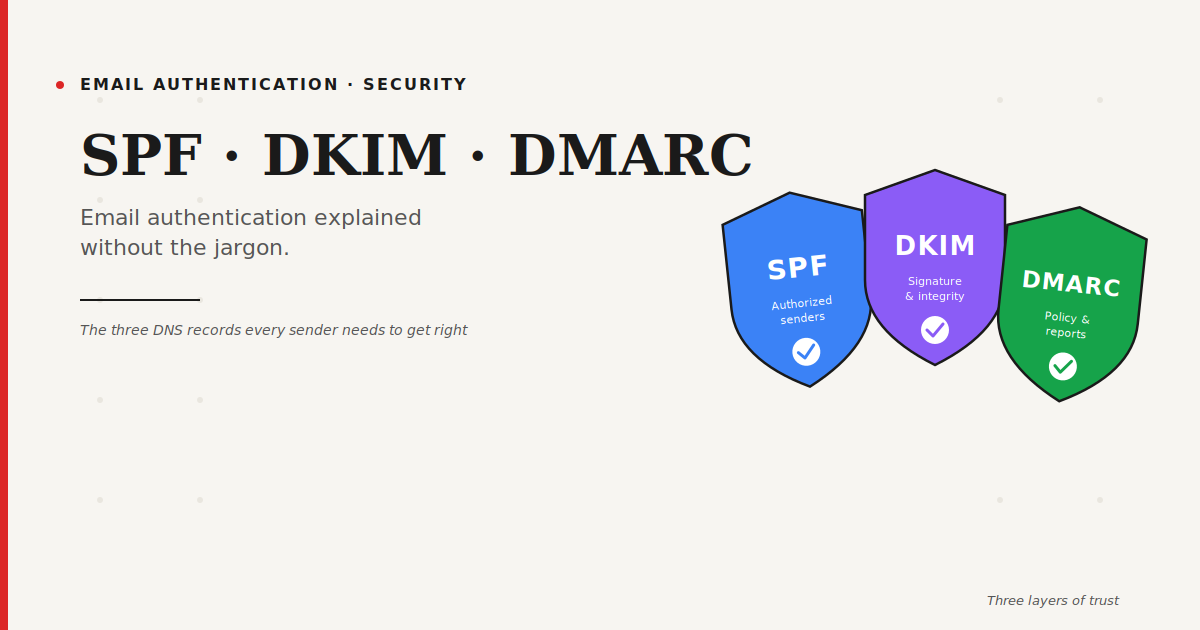
Obviously, this doesn't work anymore. Scammers figured out that anyone can pretend to send from anyone. So the email world bolted on three layers of authentication: SPF, DKIM, and DMARC. Together, they prove that an email really came from who it says it came from.
Think of them as the modern passport control for email.
SPF: The Authorized Sender List
SPF stands for Sender Policy Framework. What it does in plain English: it's a list you publish saying "these are the servers allowed to send email on my behalf."
Imagine you own a restaurant. You tell the post office: "Only accept mail that comes from my main kitchen or my catering van. Anything else claiming to be from my restaurant is a fake."
That's SPF. You add a TXT record in your DNS that lists the IP addresses or services authorized to send email for your domain. When Gmail or Outlook receives a message claiming to be from you, they check that list. If the sending server isn't on it, they get suspicious.
An SPF record looks something like this:
v=spf1 include:_spf.google.com include:mail.zendesk.com -all
That's saying: "Google Workspace can send as me. Zendesk can send as me. Anyone else? Reject them."
Common SPF Mistakes
SPF is the oldest of the three and the easiest to mess up. The most common problems I see:
Too many include: statements. SPF has a hard limit of 10 DNS lookups. Exceed it and the whole thing silently breaks. I've seen companies with 15+ includes wondering why their email authentication keeps failing.
Forgotten senders. You set up SPF when you launched Mailchimp. Then you added HubSpot. Then ActiveCampaign. Forgot to update SPF. Now those tools are failing authentication.
Too permissive end tags. ~all is soft fail. -all is hard fail. Many people use +all which means "allow everyone" and defeats the whole purpose.
DKIM: The Signature That Proves Nothing Got Changed
DKIM stands for DomainKeys Identified Mail. This one is a bit more clever.
Every email you send gets signed with a cryptographic signature. The signature is created using a private key that only you have. The public key is published in your DNS, so anyone receiving the email can verify: "Yes, this was signed by the real owner of that domain, and nothing in the email has been changed in transit."
The restaurant analogy: it's like a wax seal on your letters. Your kitchen has a unique stamp. The post office (Gmail) has a reference copy of that stamp. When a letter arrives with your seal, they check it matches — and they also check that the envelope hasn't been tampered with.
DKIM is stronger than SPF because it protects the actual message content. Even if someone intercepts your email and tries to alter it, the signature breaks, and the receiving server knows.
Your email platform (Google Workspace, Mailchimp, etc.) handles the technical side. You usually just add one or two TXT records to your DNS that they give you. Copy, paste, done.
DMARC: The Policy That Ties It All Together
DMARC stands for Domain-based Message Authentication, Reporting, and Conformance. Long name. Simple idea.
SPF and DKIM are checks. DMARC is the policy that tells mailbox providers what to do when those checks fail.
"If an email claims to be from my domain but fails SPF and DKIM, what should you do? Accept it? Flag it? Reject it?"
You choose. DMARC has three policy levels:
p=none — Monitor only. Don't reject anything, just send me reports. This is where you start.
p=quarantine — Failed emails go to spam. Good middle step.
p=reject — Failed emails get blocked entirely. The strongest protection.
DMARC also gives you something most people ignore: reports. Mailbox providers send you daily reports showing every server that tried to send email as your domain, and whether they passed authentication. These reports are gold. You'll find out about legitimate services you forgot to authenticate, and you'll also find scammers trying to impersonate your brand.
The Order to Roll This Out
Here's the sequence I recommend to every client. Don't skip steps.
Week 1-2: Set up SPF. Audit every service that sends email on your behalf (HubSpot, Mailchimp, your CRM, your support tool, everything) and make sure they're all in your SPF record.
Week 2-3: Set up DKIM for each of those services. Every major platform supports it. It's usually 5 minutes of work per service.
Week 3-4: Publish DMARC at p=none. Start reading those reports. You'll be surprised what's sending email as your domain.
Week 5-8: Fix anything the reports flag. Legitimate services missing authentication? Add them. Unknown senders? Investigate.
Week 8+: Move DMARC to p=quarantine, then eventually p=reject. Move slowly. Monitor constantly.
Why Any of This Matters Now
Here's what changed. In February 2024, Gmail and Yahoo rolled out new requirements: bulk senders (anyone sending 5,000+ emails per day) must have SPF, DKIM, and DMARC properly set up. No exceptions. Miss this and your emails don't get delivered.
Outlook is on the same path. Apple Mail too. This isn't a nice-to-have. It's the new baseline.
Beyond deliverability, there's the brand protection angle. Scammers impersonate companies constantly. A well-configured DMARC policy at p=reject makes it nearly impossible for someone to successfully phish your customers using your domain.
Final Thought
SPF, DKIM, and DMARC sound technical, and they are, slightly. But you don't need to be a sysadmin to get them right. You need to understand what each one does, set aside an afternoon, and follow the instructions your email provider gives you.
Ten years ago, you could ignore this stuff. Today, you cannot. Your deliverability, your brand reputation, and your customer trust all depend on these three boring DNS records doing their job quietly in the background.
Set them up. Forget they exist. Enjoy emails that actually land.
FAQ: SPF, DKIM, and DMARC
Do I need all three of SPF, DKIM, and DMARC?
Yes. SPF alone isn't enough anymore. DKIM alone isn't enough. DMARC ties them together and tells providers how to handle failures. In 2024 and beyond, all three are effectively required for any serious sender.
How do I check if my SPF, DKIM, and DMARC are set up correctly?
Use free tools like MXToolbox, Mail-Tester, or DMARC Analyzer. Send a test email and they'll tell you exactly which records pass, fail, or are missing.
What's the difference between DKIM and DMARC?
DKIM is the signature that proves an email is authentic. DMARC is the policy that tells receivers what to do when DKIM (or SPF) fails. DKIM is the lock. DMARC is the instruction manual.
Will setting up DMARC break my email?
Not if you start at p=none (monitoring mode). The reports will show you every authentication issue before you enforce anything. Only move to p=quarantine or p=reject after you've fixed everything.
Can I set up SPF, DKIM, DMARC myself, or do I need a developer?
You can absolutely do it yourself. It's mostly copying DNS records your email provider gives you. If you can add a record in Namecheap, GoDaddy, or Cloudflare, you can configure email authentication.