How to Improve Email Deliverability: The Practical Guide That Actually Works
I'll tell you the moment I stopped thinking of email deliverability as a technical chore and started treating it as the most important thing in my marketing stack.
I had just launched a product. The list was real — opt-in, double confirmed, all of it. I sent the announcement email. Open rate? 4%. I almost threw my laptop out the window. I knew the copy was good. I knew the subject line was fine. Something else was wrong.
That something else was deliverability. And once I started fixing it properly, every single metric in my marketing improved. Not just email. Everything downstream of email.
What Email Deliverability Really Means
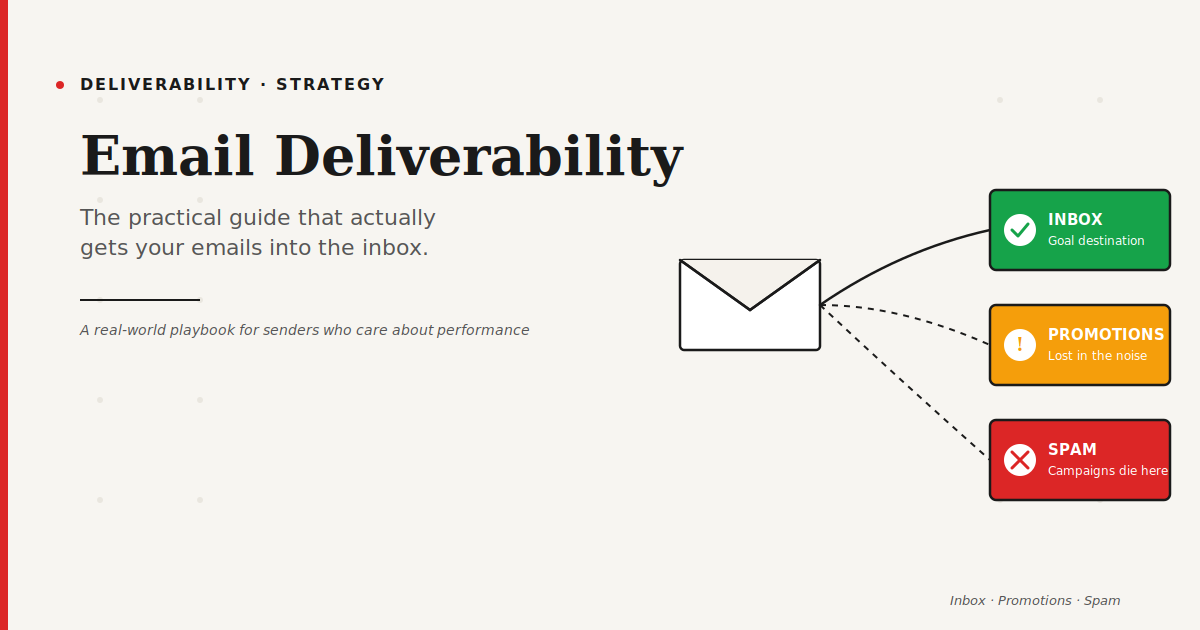
Most people think deliverability means "the email got sent." It doesn't. Getting sent is the easy part. Deliverability is whether your email actually lands in the inbox, not in spam, not in the Promotions tab collecting dust, not silently dropped before anyone ever sees it.
There are really three numbers that matter here. Your delivery rate (did it get accepted by the server). Your inbox placement rate (did it land in the primary inbox). And your engagement rate (did anyone open, click, reply).
You can have a 99% delivery rate and a 30% inbox placement rate. That gap is where campaigns quietly die.
The Foundations: What You Fix First
Before you try anything clever, get the basics right. I promise, this is where 80% of deliverability problems come from.
1. Authenticate Your Domain Properly
SPF, DKIM, and DMARC. If these words make you uncomfortable, that's normal. They're DNS records that prove to Gmail and Outlook that you actually own the domain you're sending from. Without them, modern mailbox providers are increasingly just rejecting you outright.
Since 2024, Google and Yahoo require all bulk senders to have all three configured. This is not optional anymore.
2. Use a Dedicated Sending Domain
Don't blast marketing emails from your primary domain. If something goes wrong (and something always goes wrong eventually), you don't want to poison the domain your team uses for real business correspondence.
Use a subdomain like mail.yourdomain.com or go.yourdomain.com. Keep your sending reputation separate.
3. Warm Up Before You Blast
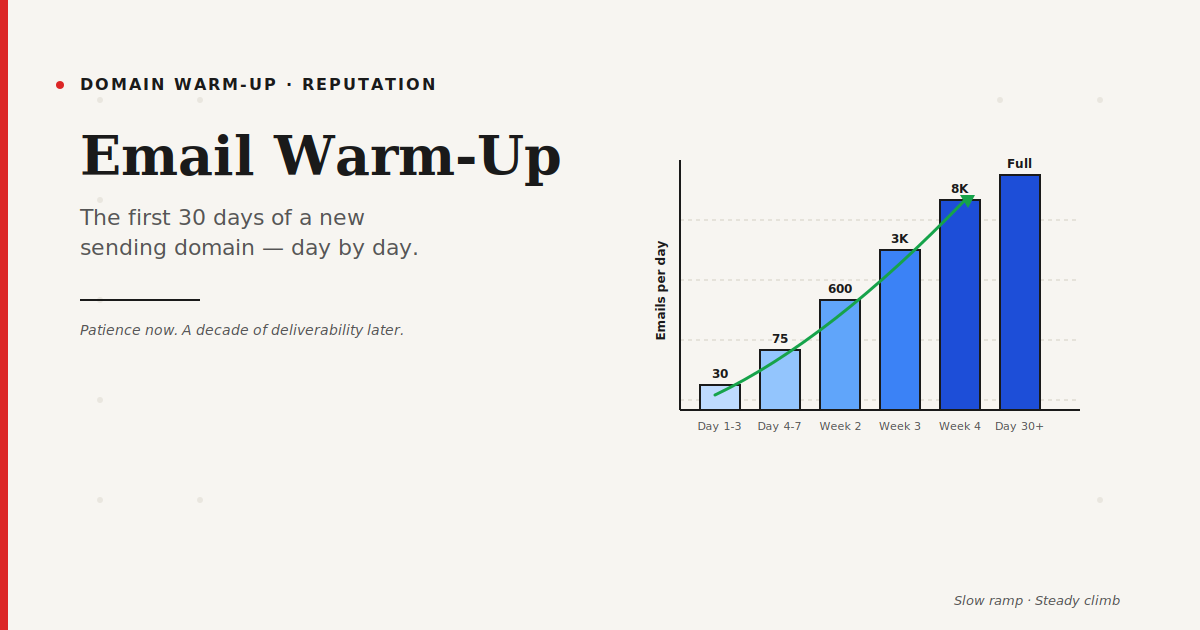
New domains have zero reputation. If you blast 10,000 emails on day one, mailbox providers assume you're a spammer and block you. Even if you're not.
Warm up by starting with small volumes (50-100 emails per day) to engaged recipients, then gradually increasing over 2-4 weeks. It feels slow. It saves everything.
List Hygiene: The Unglamorous Part
Here's the truth nobody wants to hear: your list is probably dirtier than you think.
Old addresses decay. People change jobs. Companies go under. Typos happen at signup. If you're not actively cleaning your list, you're sending emails into the void — and every bounce damages your reputation.
Run your list through an email verification tool at least every 3-6 months. Remove hard bounces immediately. Watch for spam traps — these are hidden addresses mailbox providers use to catch senders with bad hygiene.
And please, stop emailing people who haven't opened anything in 6+ months. Either re-engage them with a clear campaign, or let them go. Dead weight on a list drags everything down.
Engagement Is the Real Deliverability Signal
Here's a shift in thinking that helped me: inbox providers don't care about your intentions. They care about how real people interact with your emails.
If people open, reply, star, or forward — you're legit. If people delete without opening, hit "spam," or ignore you for months — you're spam, even if you're technically a great sender.
So the real deliverability game is engagement. That means:
Write subject lines people actually want to open. Send to people who actually asked to hear from you. Don't email more often than you have something to say. Segment aggressively so the right messages go to the right people. Remove disengaged subscribers before they hurt you.
One small example: a client was sending a weekly newsletter to 40,000 people. Only 8,000 were opening regularly. We suppressed the 32,000 disengaged ones for 60 days. Open rates jumped from 12% to 44%. Inbox placement improved dramatically. The list "shrunk" on paper, but the business got bigger.
Content and Formatting Signals
Spam filters still look at your actual email content. Not as much as they used to — engagement matters more now — but enough to sabotage you if you're careless.
A few things I've seen flag campaigns: using all-caps subject lines, excessive exclamation marks, spammy words like "free," "guarantee," "act now" stacked together, image-only emails with almost no text, shortened URLs (bit.ly and similar), mismatched "from" names, and broken or missing unsubscribe links.
Your email should look like an email. Not a billboard. Keep a healthy text-to-image ratio. Include a real unsubscribe link. Use a recognizable sender name.
Infrastructure and Sending Practices
This part is more technical, but worth understanding at a high level.
Send from a reputable ESP (Email Service Provider). Mailchimp, Brevo, ActiveCampaign, Klaviyo, Postmark, SendGrid — they all manage IP reputation so you don't have to. If you're sending from a self-hosted setup without knowing exactly what you're doing, you're making life very hard for yourself.
Maintain a consistent sending schedule. Massive spikes in volume trigger spam flags. If you usually send 2,000 emails a week and suddenly send 200,000, inbox providers raise eyebrows.
Monitor your sender reputation. Tools like Google Postmaster Tools, Microsoft SNDS, and Talos Intelligence let you peek at what mailbox providers see when they look at you.
The Metrics to Actually Watch
Forget vanity metrics for a minute. For deliverability, these are the numbers I check weekly:
Bounce rate should stay under 2%. Spam complaint rate should stay under 0.1% (Gmail is very strict about this). Open rate varies by industry, but watch trends — a steady decline is a warning sign. Reply rate, even if tiny, is gold.
If any of these trend the wrong way for two weeks in a row, stop and diagnose before you send more.
When Things Go Wrong
Eventually, something will. You'll land on a blocklist. Your reputation will drop. Gmail will start sending you to spam. It happens even to good senders.
Don't panic. Diagnose. Pause aggressive sending. Check your authentication records. Look at recent campaigns for anything unusual. Contact the blocklist if needed (many have simple delisting forms). Reduce volume, send to your most engaged subscribers only, and rebuild reputation slowly.
Recovery takes weeks, not days. I wish I had better news.
Final Thought
Email deliverability isn't one fix. It's a practice. It's the small, unglamorous habits — clean your list, authenticate your domain, respect your subscribers, don't get greedy with volume — that compound over time.
Do those things consistently, and you'll quietly outperform senders who spend ten times more on clever copy and fancy design.
The inbox is earned, not rented.
FAQ: Email Deliverability
What is a good email deliverability rate?
Aim for 95% or higher inbox placement rate. Anything below 90% signals a real problem. The global average hovers around 83-85%, so there's always room to improve.
How long does it take to fix deliverability issues?
Minor issues can be fixed in a week or two. Serious reputation damage takes 30-60 days of careful rebuilding. There's no fast recovery — the mailbox providers are the ones in charge.
Does sending volume affect deliverability?
Yes, massively. Sudden volume spikes, inconsistent sending patterns, and sending to inactive lists are three of the fastest ways to damage your reputation.
Do I need a dedicated IP address?
Not usually. Shared IPs from reputable ESPs are fine for most senders under 100,000 emails per month. Above that volume, a dedicated IP can give you more control — but also more responsibility.
Can I test my deliverability before sending?
Yes. Tools like Mail-Tester, GlockApps, and MXToolbox let you send a test email and see exactly where it lands across Gmail, Outlook, Yahoo, and more. Cheap insurance before big sends.
Related Reading
- Email Checker: Why Skipping This Step Is Killing Your Campaigns
- SPF, DKIM and DMARC Explained Without the Jargon
- Why Your Emails Land in Spam (And How to Fix It)
- Email Warm-Up: The First 30 Days of a New Sending Domain
- The Best Email Marketing Tools Compared
- Cold Email Templates That Don't Feel Like Cold Emails